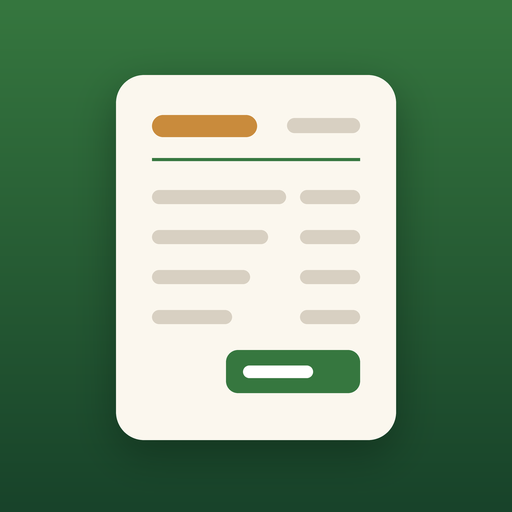
Oak Invoice: invoices, estimates and receipts for iPhone and iPad
A private invoice maker for iPhone and iPad. Add your logo, pick a client, add items and send a clean PDF from your own email or messages. Your first 5 invoices or estimates are free. Unlimited is a one-time purchase, not a subscription. No account, no ads.
Coming soon to the App StoreOak Invoice does not process card payments or send invoices for you. You send the PDF yourself, and your client pays you directly. Reports are business totals, not tax or accounting advice.
Free, with every core tool
- Invoices, estimates and receipts as print-ready PDFs (Letter or A4)
- Turn an accepted estimate into an invoice in one tap
- Clients (pick from Contacts) and a list of saved items and services
- Line and total discounts, several tax rates, tax-inclusive prices, shipping, withholding and deposits
- Record full or partial payments, mark paid, and send a receipt
- Your signature, plus a client signature to accept an estimate
- Payment instructions on every invoice: bank transfer, Zelle, Venmo, PayPal, Cash App or check, with a scan-to-pay QR code
- Reminders for you before and after a due date, plus a ready-to-send reminder email
- Reports: invoiced, collected, outstanding, overdue, tax billed and expenses
- Classic and Minimal templates in 8 colors, and backup and restore to Files
Your first 5 invoices or estimates are free. Documents you have already made are never locked: you can always edit, send, print and back them up.
Oak Invoice Pro: one purchase, not a subscription
- Unlimited invoices and estimates
- Modern and Bold templates
- Photos on invoices and estimates
- Recurring invoices, created as drafts for you to check and send
- CSV export of your invoices
$19.99 once (US). Family Sharing is supported. Your business and client details stay on your device: no account, no cloud, no tracking.
Support
Questions or problems? Email james@jackflashmo.com and include your device model and iOS version.
Sending and getting paid
Preview the PDF, then send it from your own Mail, Messages or other apps, or print it. Oak Invoice does not send the document for you and does not take payments. Add your own payment instructions, and optionally a QR code, so your client can pay you directly.
Restoring your purchase
On a new or reset device, open Settings or the Oak Invoice Pro screen and tap Restore Purchases, signed in with the same Apple Account you bought Pro with. Family members in your Family Sharing group can do the same.
Refunds
Purchases are made through Apple. To request a refund, visit reportaproblem.apple.com.
Frequently asked questions
Is Oak Invoice free?
Yes. Oak Invoice is a free download. Your first 5 invoices or estimates are free, and they include every core tool: professional PDFs (Letter or A4), sending and printing, clients, saved items, discounts, tax rates, deposits, signatures, payment instructions with a QR code, reminders, reports, backup, and the Classic and Minimal templates. Documents you have already made are never locked.
How much is Oak Invoice Pro?
Oak Invoice Pro is a one-time $19.99 purchase (US price), not a subscription. It unlocks unlimited invoices and estimates, the Modern and Bold templates, photos on invoices and estimates, recurring invoices (created as drafts for you to check and send) and CSV export. Family Sharing is supported, and Restore Purchases brings Pro back on a new device.
Does it process payments or send invoices for me?
No. Oak Invoice does not process card payments and does not send anything for you. You send the PDF yourself from your own Mail, Messages or other apps, and your client pays you directly using the payment instructions you put on the invoice.
Are the reports tax or accounting advice?
No. Reports show your business totals, such as invoiced, collected, outstanding, overdue, tax billed and expenses. They are not tax, accounting or financial advice.
What happens after I use my 5 free documents?
You can still open, edit, send, print and back up every document you have already made. Creating a new invoice or estimate, or using a Pro-only template, photo, recurring invoice or CSV export, requires Oak Invoice Pro.
Does it use the internet or collect data?
Your invoices, clients and business details stay on your device. There is no account, no ads, no analytics and no tracking. The app talks to Apple when you buy or restore Oak Invoice Pro. If you email, share, print or open a link, that goes through your own Mail, Messages, printer or Safari, not through an Oakline server. Apple lists this as Data Not Collected.
How do I restore a purchase?
On a new or reset device, open Settings or the Oak Invoice Pro screen and tap Restore Purchases, signed in with the same Apple Account you bought Pro with. Family members in your Family Sharing group can do the same.
When can I download Oak Invoice?
Oak Invoice is coming soon to the App Store for iPhone and iPad. Check back here for the download link.
More apps from Oakline Media: Oak Label, Scanplicity, Oak Miles, Oak BP, Oak Calc, Oak Clean and Oak Print.