

Scanplicity: scan your old photos into the Photos app
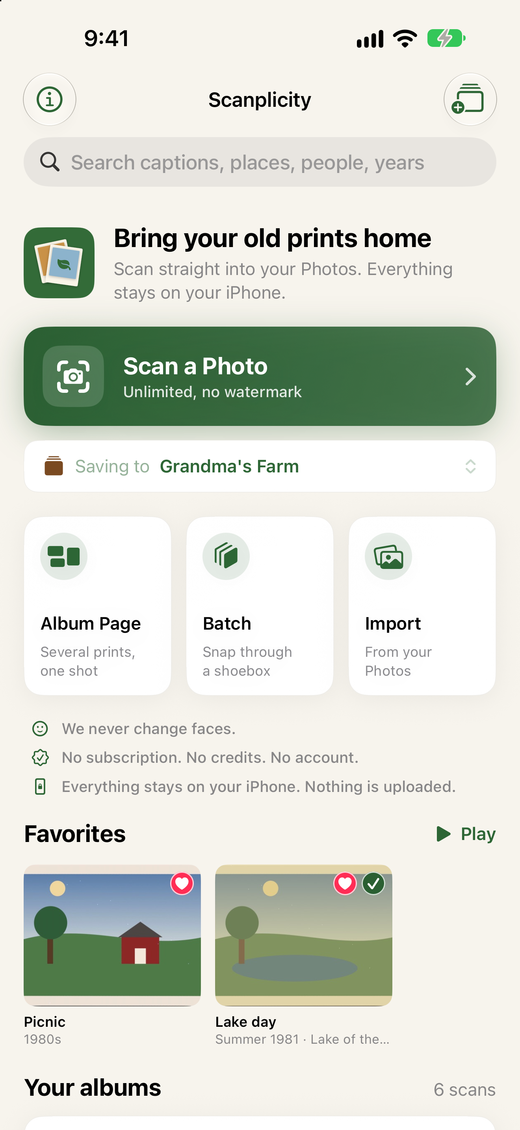
Point your iPhone or iPad at a print. Scanplicity finds the edges, straightens it, restores faded color and saves it to your Photos, on the date it was taken. No account, and nothing is uploaded.

Free download with 10 scans to try. Scanplicity Pro is a one-time $14.99 purchase, not a subscription.
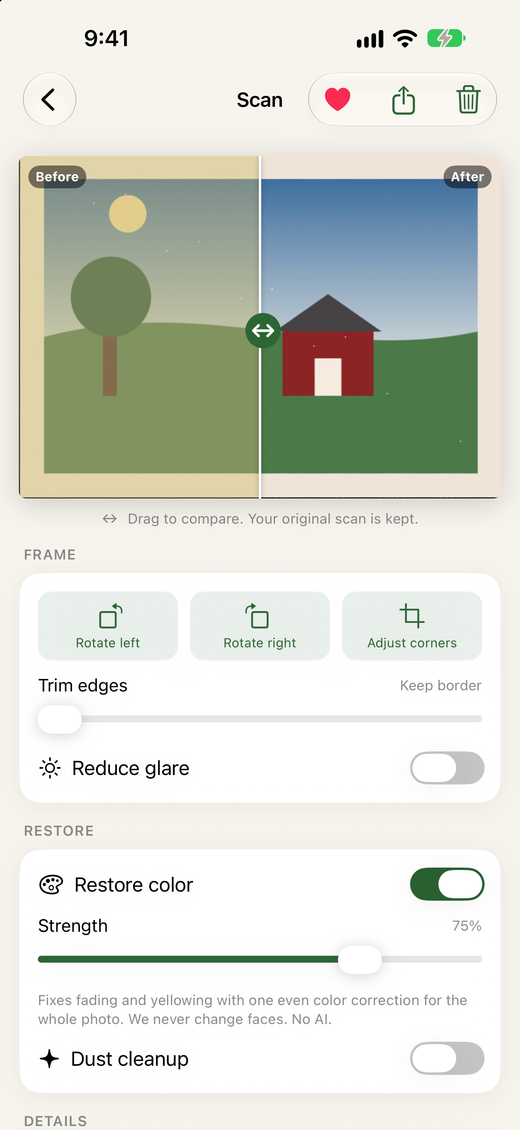
We never change faces. Restoration is one even color fix for the whole photo, like a darkroom reprint. Dust cleanup skips faces entirely. No generative AI, and your original scan is always kept.
Free: 10 scans with everything that matters
- Automatic edge detection and perspective correction, with manual corners if you want them
- Color restoration for faded and yellowed prints, with a before and after slider
- Dust and speck cleanup that fills small white specks from the pixels around them
- Glare check that warns you about reflections and tones them down
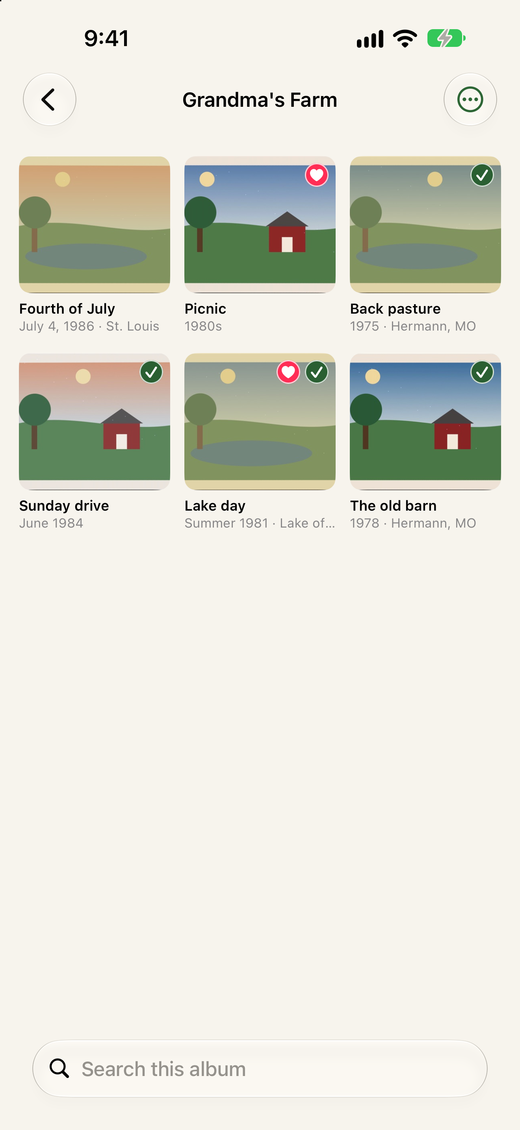
- Full-resolution saves to Photos, in an album, on the photo’s real date
- Date, caption, place and people written into the photo so the story stays with it
Every scan stays saved and editable in the app, even after the free scans are used.
Scanplicity Pro: pay once, keep it
- Unlimited scans
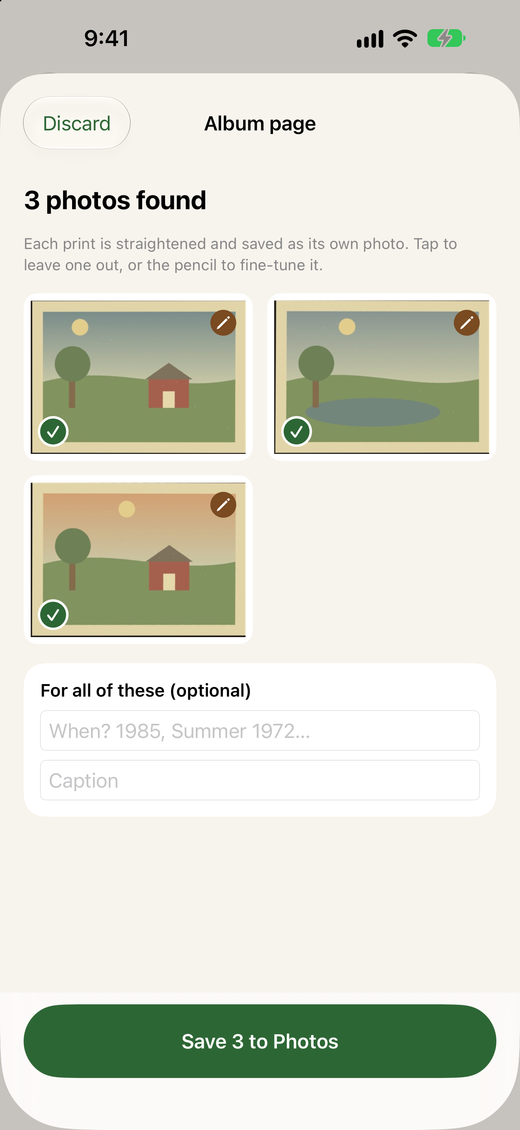
- Album pages: one shot of a page or a table of prints, each photo saved on its own
- Batch mode for getting through a whole shoebox
- Back of the photo: keep the handwriting with the picture
- PDF and ZIP export to share an album with family
- Search across albums, favorites and slideshows
$14.99 once (US price). Family Sharing supported. Restore Purchases brings Pro back on a new device.
Screenshots
Frequently asked questions
Is Scanplicity free?
Yes. Scanplicity is a free download and includes 10 scans to try everything: edge detection, color restoration, dust cleanup and full-resolution saves to your Photos. Every scan you make stays saved and editable, even after the free scans are used.
How much is Scanplicity Pro?
Scanplicity Pro is a one-time $14.99 purchase (US price), not a subscription. It adds unlimited scans, album page and batch scanning, PDF and ZIP export, back-of-photo scans, search across albums, favorites and slideshows. Family Sharing is supported, and Restore Purchases brings Pro back on a new device.
Does Scanplicity change faces or use AI?
No. We never change faces. Color restoration is one even color correction for the whole photo, like a darkroom reprint, and dust cleanup skips faces entirely. Nothing is generated or invented, and your original scan is always kept.
Where do my scans go?
Straight into an album in the Photos app on your iPhone or iPad. Scanplicity also keeps its own copy so you can edit a scan again later. Nothing is uploaded and there is no account.
Can it scan several photos at once?
Yes, with Pro. Lay several prints on a table or photograph a whole album page, and each photo is found, straightened and saved on its own. Batch mode lets you snap through a shoebox, saving each print as you go.
Can I keep what is written on the back?
Yes, with Pro. Scan the back of a print and it is saved next to the front in Photos, and included in PDF and ZIP exports.
Does Scanplicity work on iPad?
Yes. Scanplicity runs on iPhone and iPad with iOS or iPadOS 17 or later.
Where can I download Scanplicity?
Scanplicity is a free download on the App Store for iPhone and iPad. Scanplicity Pro is an optional one-time $14.99 purchase (US price), not a subscription.
Get ScanplicitySupportPrivacy Policy
More apps from Oakline Media: Oak Label, Oak Miles and Oak BP.