Oak Block: block distracting apps on iPhone and iPad
Block the apps and websites that pull you in, on a schedule or whenever you need to focus. Built on Apple’s Screen Time, so your choices stay on your device. The blocker is free every day; Pro is a one-time purchase, not a subscription.
Coming soon to the App StoreFree, every day
- Focus sessions from 15 minutes to 3 hours, started with one tap
- Two block lists: pick apps, whole categories or websites with Apple’s own picker
- Two repeating schedules, such as work hours or evenings, including overnight
- Gentle and Firm modes: take a short break when you really need an app, after a pause that gets longer each time
- A clean block screen when you open a blocked app, with a Take a break button
- Today’s stats: screen time, pickups, top apps, focus time, blocked opens and a day streak
- Widgets for the Home Screen and Lock Screen
Oak Block Pro: one purchase, not a subscription
- Unlimited lists and schedules
- Locked mode: no breaks and no ending early, and optionally no deleting apps while it is on
- Daily time limits: give an app 30 minutes a day, then it is blocked until midnight
- Your own block screen message and color
- Week view: screen time, focus trends and your best streak
- Shortcuts and Siri: start or end focus from automations
$14.99 once (US). Family Sharing is supported. No account, no cloud, no tracking.
Screenshots
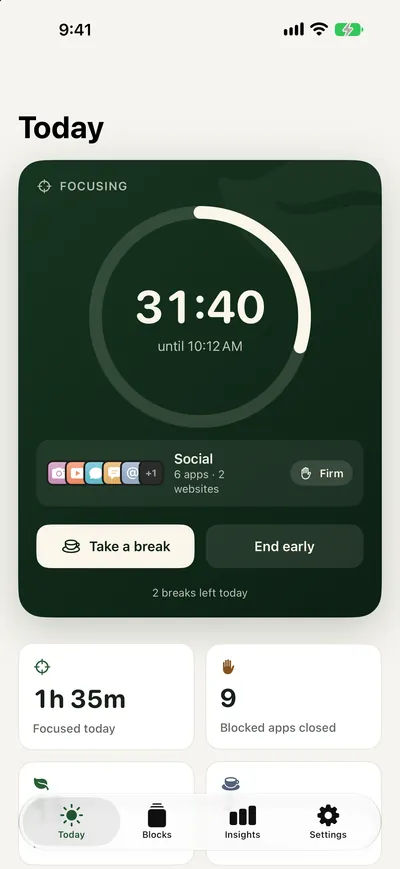
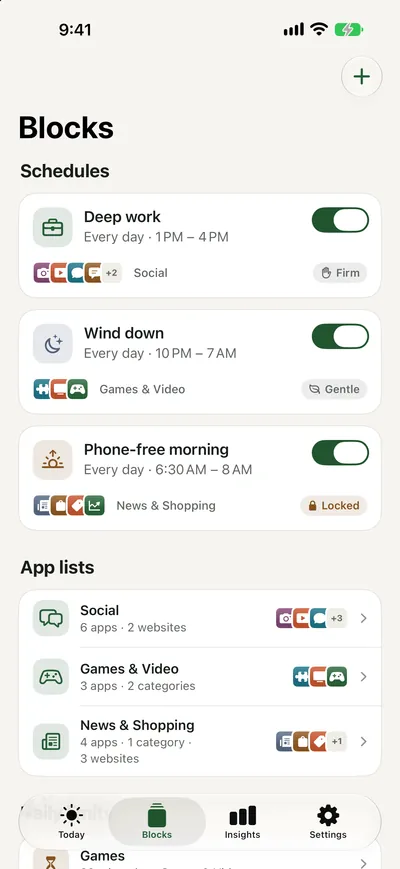
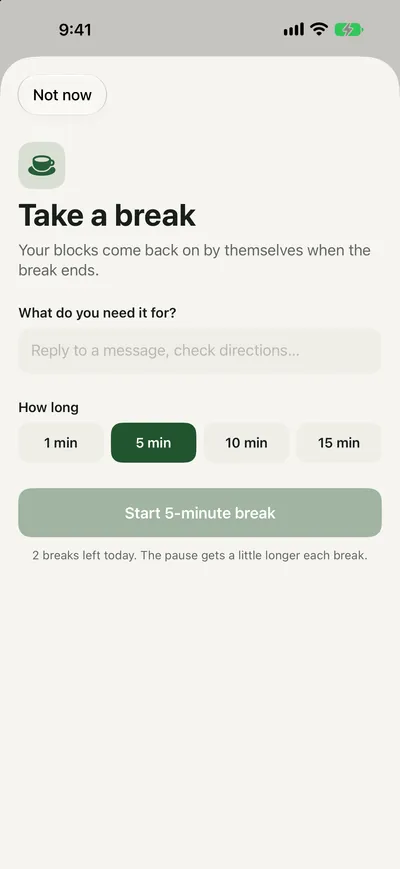
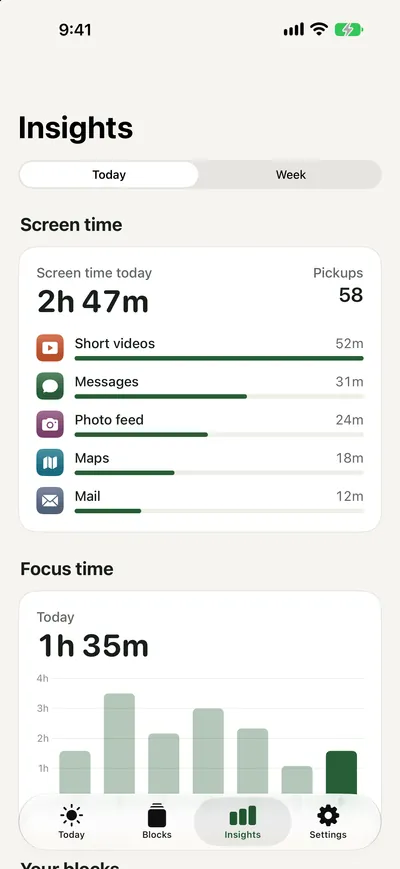
Screens from the redesigned Oak Block. Features and pricing are the same as described on this page.
Frequently asked questions
Is Oak Block free?
Yes. Oak Block is a free download, and the core blocker is free every day: focus sessions, two block lists, two repeating schedules, Gentle and Firm modes with breaks, the block screen, today's stats, a day streak and widgets.
How much is Oak Block Pro?
Oak Block Pro is a one-time $14.99 purchase (US price), not a subscription. It adds unlimited lists and schedules, Locked mode, daily time limits, your own block screen message and color, a week view with history, and Shortcuts and Siri actions. Family Sharing is supported, and Restore Purchase brings Pro back on a new device.
How does Oak Block block apps?
Oak Block uses Apple's Screen Time frameworks. You pick apps, categories or websites with Apple's own picker, and iOS shows a block screen when you open one during a focus session or schedule. Oak Block can't see which apps you picked: Apple gives it private tokens instead of app names.
What are Gentle, Firm and Locked?
Gentle lets you take a break any time after a short pause that grows a little each time. Firm asks for a reason, uses a longer pause that doubles each time, and allows 3 breaks a day. Locked (Pro) allows no breaks and no ending early until the block is over, and can optionally stop apps from being deleted while it is on.
Do I need an account?
No. There is no account, no ads, no analytics and no tracking. Your lists, schedules and stats stay on your iPhone or iPad. Apple lists this as Data Not Collected.
Can I turn it off?
Yes. You can end a Gentle or Firm session in the app, and you can remove Oak Block's Screen Time access at any time in Settings, then Screen Time.
When can I download Oak Block?
Oak Block is coming soon to the App Store for iPhone and iPad. Check back here for the download link.
Oak Block is an independent app by Oakline Media. Screen Time is a trademark of Apple Inc.
More apps from Oakline Media: Oak Label, Scanplicity, Oak Miles, Oak BP, Oak Calc, Oak Clean, Oak Print, Oak Invoice and Oak Remote.