Oak Remote: a free TV remote for Roku on iPhone and iPad
Control your Roku TV or streaming player from your iPhone or iPad over Wi-Fi. Volume, the swipe touchpad, the keyboard and channels are all free for one TV, with no ads and no account. Pro is a one-time $4.99 purchase, not a subscription.

Free, for one TV
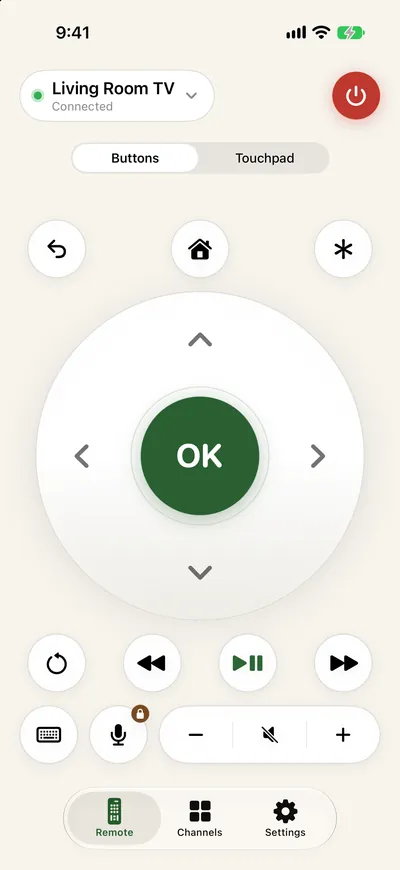
- The full remote: D-pad, OK, Back, Home, Options, play/pause, rewind, fast-forward and instant replay
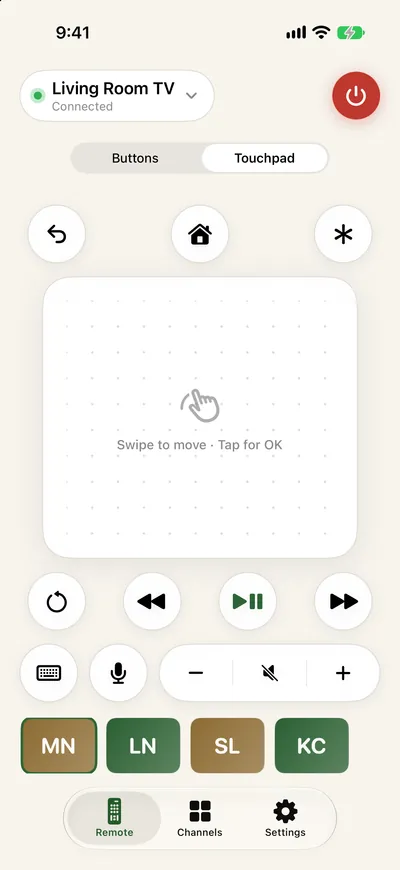
- Swipe touchpad for quick navigation, tap for OK
- Volume, mute and power (power-on needs Fast TV start turned on on the TV)
- Keyboard: type searches and passwords on the TV from your phone
- Channel launcher with what’s on your TV now and its inputs
- Finds your TV on your Wi-Fi automatically and reconnects if its address changes
- No ads, no account, and Data Not Collected
Oak Remote Pro: one purchase, not a subscription
- Multiple TVs: switch between the living room, bedroom and more
- Voice search, recognized on your device
- Favorites row for the channels you open most
- Interactive widgets for the Home Screen and Lock Screen
- Control Center controls for power, play/pause and mute (iOS 18 or later)
- Siri and Shortcuts
$4.99 once (US). Family Sharing is supported.
Screenshots
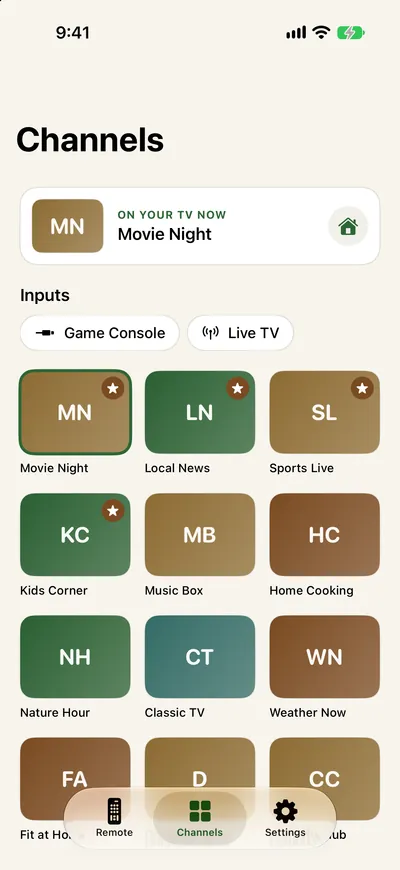
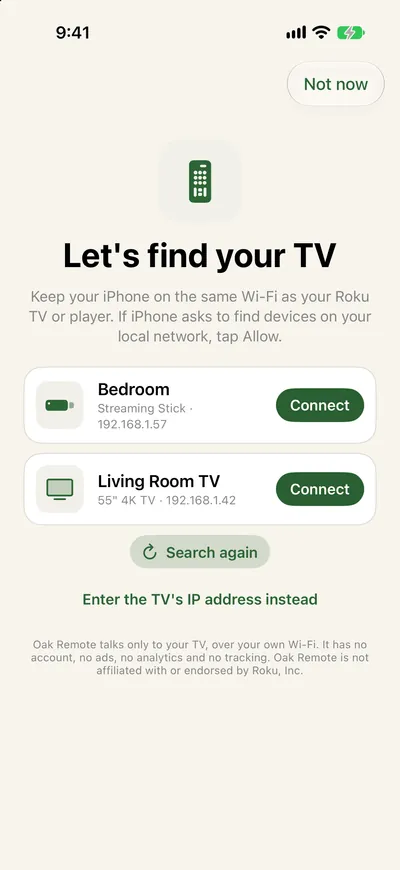
Getting connected
- Put your iPhone or iPad on the same Wi-Fi as your Roku TV or player.
- Open Oak Remote and allow the Local Network prompt, then pick your TV.
- If buttons say “blocked”, on the TV go to Settings → System → Advanced system settings → Control by mobile apps, and set Network access to Permissive.
Guides
Frequently asked questions
Is Oak Remote free?
Yes. The whole remote is free for one TV, with no time limit, no ads and no account: the D-pad, OK, Back and Home, playback keys, the swipe touchpad, volume and mute, power, the keyboard and the channel launcher.
How much is Oak Remote Pro?
Oak Remote Pro is a one-time $4.99 purchase (US price), not a subscription. It adds multiple TVs, on-device voice search, a favorites row, interactive Home Screen and Lock Screen widgets, Control Center controls (iOS 18 or later) and Siri and Shortcuts. Family Sharing is supported, and Restore Purchase brings Pro back on a new device.
Which TVs does Oak Remote work with?
Oak Remote works with Roku TVs and Roku streaming players on the same Wi-Fi network as your iPhone or iPad. It finds them automatically, or you can enter the TV's IP address.
Is Oak Remote made by Roku?
No. Oak Remote is an independent app made by Oakline Media. It is not affiliated with or endorsed by Roku, Inc. Roku is a trademark of Roku, Inc.
My TV says it is blocking the phone remote. What do I do?
On the TV, go to Settings, System, Advanced system settings, Control by mobile apps. Turn it on, and on newer Roku software set Network access to Permissive. Then try a button in Oak Remote again.
Do I need an account?
No. There is no account, no ads, no analytics and no tracking. Oak Remote talks only to your TV on your Wi-Fi. Apple lists this as Data Not Collected.
Where can I download Oak Remote?
Oak Remote is a free download on the App Store for iPhone and iPad: https://apps.apple.com/us/app/oak-remote-tv-remote-for-roku/id6837287288 It needs iOS 17 or iPadOS 17 or later.
Get Oak RemoteSupportPrivacy Policy
Not affiliated with or endorsed by Roku, Inc. Roku is a trademark of Roku, Inc.
Oak Remote is an independent app made by Oakline Media. “For Roku” is used here only to describe compatibility.
More apps from Oakline Media: Oak Label, Scanplicity, Oak Calc, Oak Clean, Oak Print, Oak Miles, Oak BP, Oak Invoice and Oak Block.